Apache OpenOffice

Apache OpenOffice is a free, open-source office suite with tools for documents, spreadsheets, presentations, drawings and databases.
Version: 4.1.17| Developer | The Apache Software Foundation |
|---|---|
| Version | 4.1.17 |
| License | Open source (Apache-2.0) |
| Operating system | Windows, macOS, Linux |
| Interface languages | English, Korean, Japanese, German, French |
| File size | 136.6 MB |
| Ads / bundled offers | None |
| Last updated | 2026-11-05 |
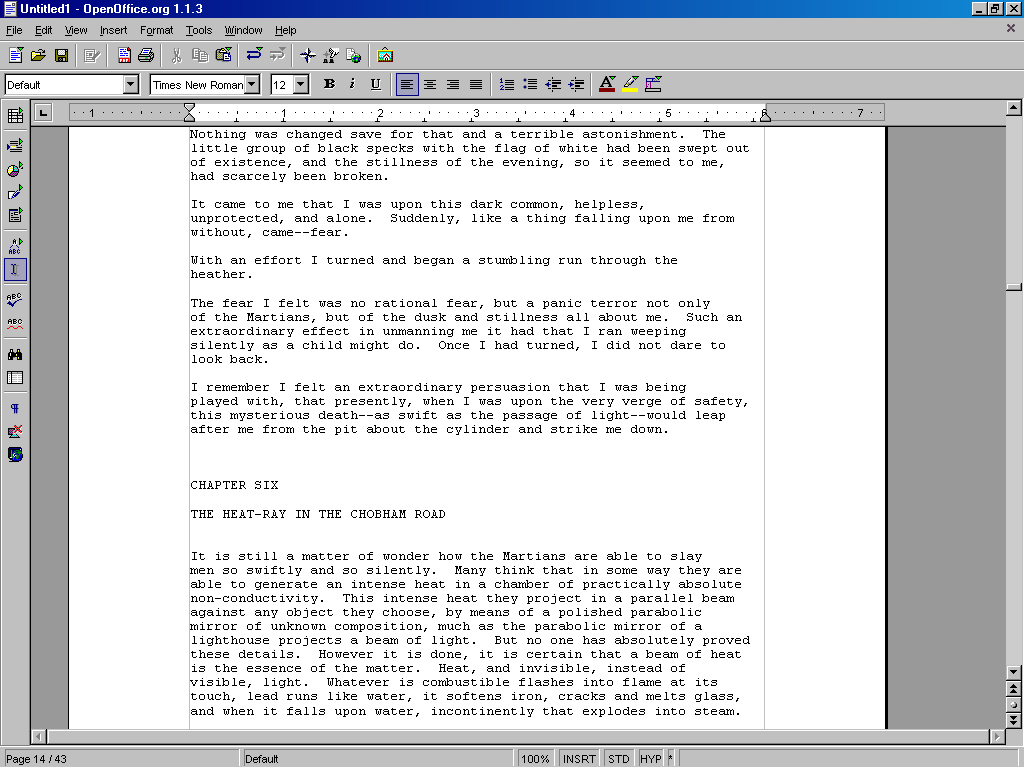
Apache OpenOffice is a free, open-source office suite maintained by The Apache Software Foundation. One installation provides six tools: Writer for documents, Calc for spreadsheets, Impress for presentations, Draw for graphics, Base for databases and Math for formulas. Its native format is the international OpenDocument Format (ODF), and it opens Microsoft Office files and can save in the older Microsoft Office formats (.doc, .xls, .ppt).
It suits individuals and small offices that need to write documents, run simple calculations and build slide decks without paying for an office suite. It is available in 41 languages, and with no license fees it can be used freely at work. However, it cannot save in current Microsoft Office formats such as DOCX and XLSX, the Windows build is 32-bit only, and updates now focus on security and bug fixes rather than new features, so users who need the latest capabilities should look elsewhere.
A word processor with character and paragraph styles, tables, images, tables of contents, footnotes and mail merge. It opens Word documents (.doc and .docx) and saves as ODT or .doc.
A spreadsheet with functions, charts, pivot tables (DataPilot), sorting and filtering. It opens Excel files (.xls and .xlsx), and version 4.1.17 improved Excel XML compatibility.
Impress builds presentations with slide layouts, transitions and animations, while Draw handles shapes, flowcharts and simple diagrams. In 4.1.17, Draw's CAD (DXF) import renders more drawing primitives.
Every module exports to PDF without extra software. The export dialog sets compression quality, page range and password protection.
Dictionaries, templates and other add-ons are available from the official extensions and templates sites. Macros can be written in Basic or Python, and since 4.1.17 Python macros can be created, edited and embedded in documents from within the program.
Documents, spreadsheets, presentations, drawings and databases are all covered for everyday office work. It cannot save to DOCX or XLSX, though, and lacks the newer functions and collaboration features of current Microsoft Office.
Its classic menus and toolbars resemble Microsoft Office 2003, so users who prefer traditional menus over the ribbon adapt quickly. Localized installers let users start with the interface in their own language.
It is open source with no ads or bundled software, and 4.1.17, released on October 14, 2026, is a security and bug-fix update. Some features require a 32-bit Java runtime, and the official system requirements list Windows versions only up to Windows 10. The project has retired its planned 4.2.0 release and says it is working toward version 5.
| Operating system | Windows, macOS, Linux |
|---|---|
| Requirements | Windows XP / Vista / 7 / 8 / 10 (Windows 11 not listed officially); 32-bit Java runtime for some features |
Yes. Apache OpenOffice is open source under the Apache License 2.0 and can be used at no cost at home, at work, in schools and in government.
No. It can open DOCX and XLSX files but saves only in ODF formats or the older Microsoft Office formats (.doc, .xls, .ppt).
The official system requirements list Windows XP through Windows 10 and do not mention Windows 11. The Windows build is a 32-bit program, so it runs as 32-bit even on 64-bit Windows.
LibreOffice is a separate project that forked from OpenOffice in 2010. It offers 64-bit Windows builds and DOCX saving, and receives more frequent feature updates.
Basic document work does not, but some features, such as the Base database, require a Java runtime. The official release notes say a 32-bit Java runtime is needed even on 64-bit PCs.
Apache OpenOffice remains a usable free option for basic documents, spreadsheets and presentations at no cost. Its free license and familiar menus are strengths, but the inability to save modern Microsoft Office formats, the 32-bit-only Windows build and slow feature development lead to our editor rating of 3 out of 5.
Editor rating 3/5