Google Chrome
Google Chrome is a free web browser from Google that syncs bookmarks, passwords and tabs across devices and supports a vast library of extensions.
Version: 157.0.8103.38| Developer | |
|---|---|
| Version | 157.0.8103.38 |
| License | Freeware |
| Operating system | Windows, macOS, Linux |
| Interface languages | English, Korean, Japanese, German, French |
| File size | Online installer |
| Ads / bundled offers | None |
| Last updated | 2026-11-05 |
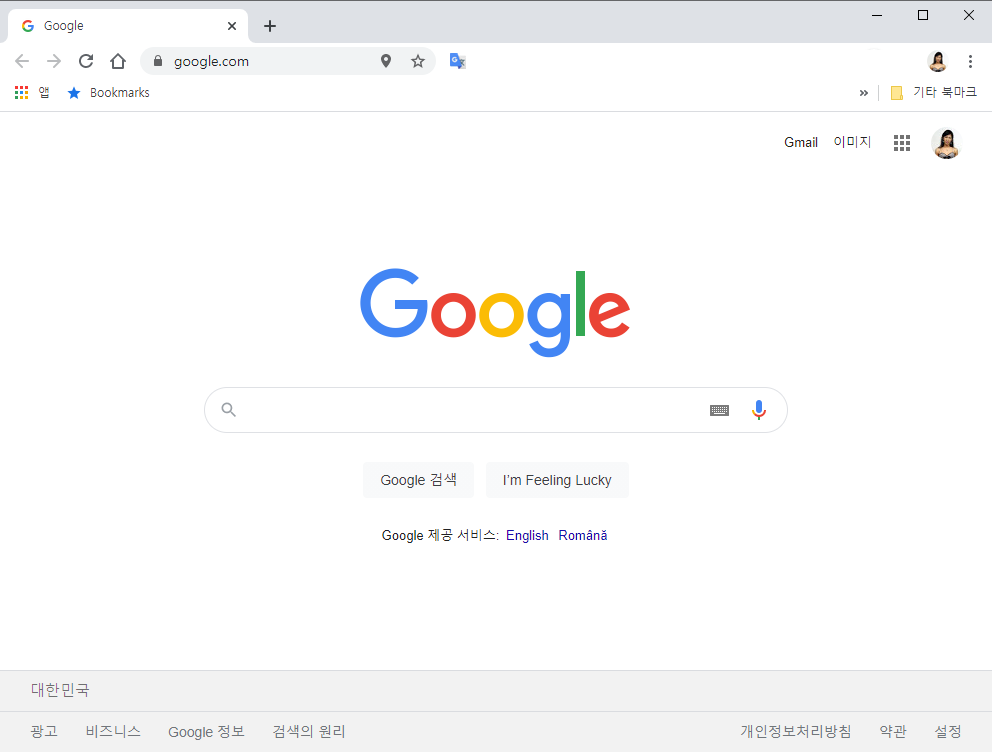
Google Chrome is a free web browser that Google has offered since 2008, built on the open-source Chromium project. Signing in with a Google account syncs bookmarks, passwords, history and open tabs between computers and phones, while the Chrome Web Store adds extensions for ad blocking, translation, note-taking and much more. A new major version arrives about every four weeks; Chrome 157 reached the stable channel on November 3, 2026.
It suits people who live in Google services such as Gmail, Drive and YouTube, and those who want to continue browsing on an Android phone where they left off on the desktop. Its site compatibility is about as broad as it gets. It is a weaker fit for users uncomfortable with linking their browsing to a Google account, and for anyone who relied on older Manifest V2 extensions, which Chrome no longer runs.
Signing in with a Google account keeps bookmarks, saved passwords, history, open tabs and settings identical across devices. Chrome for Android and iOS joins the same sync, so a page opened on the PC can be picked up on a phone.
The Chrome Web Store offers a very large catalog of extensions. Chrome now runs only Manifest V3 extensions; Manifest V2 extensions were fully disabled with Chrome 138 in July 2025.
Chrome saves and fills passwords and can suggest strong new ones. Password Checkup flags saved passwords that have been leaked, are weak or are reused.
Chrome warns before you visit dangerous sites or download harmful files. Turning on Enhanced protection in settings adds real-time checks with Google for stronger coverage.
Tabs can be gathered into named, color-coded groups. The Memory Saver option under Performance settings frees memory from tabs you have not used for a while so other tabs and programs can use it.
Pages in a foreign language can be translated in full with Google Translate, with no extension required.
Sync, password management, extensions, translation and memory controls cover nearly everything a browser needs out of the box. The extension ecosystem is among the largest available, though the end of Manifest V2 means some ad blockers are limited to reduced versions.
Chrome is available in dozens of languages, and its minimal layout is easy to grasp from the first launch. The address bar doubles as a search box, and the settings page has its own search field.
There are no ads or bundled offers, and silent automatic updates deliver security patches quickly. Signing in, usage statistics and other features can send data to Google, so it is worth reviewing the privacy settings.
| Operating system | Windows, macOS, Linux |
|---|---|
| Requirements | Windows 10/11 (SSE3 CPU) |
Yes. Chrome is free to download and use for both individuals and businesses.
No. Current Chrome versions require Windows 10 or later (or Windows Server 2016 or later) and an SSE3-capable processor; Windows on ARM needs Windows 11.
Yes. The standard download is an online installer, but Google also provides an alternative installer for offline installation and an MSI package for enterprise deployment.
Chrome updates itself automatically. Opening Settings > About Chrome shows the current version and applies any pending update.
Turn on Memory Saver under Settings > Performance. It frees memory from inactive tabs, which lowers Chrome's overall memory use.
Google Chrome is a sound choice for anyone who uses Google services and Android devices and wants their browser everywhere. Excellent sync, extensions and automatic security updates are tempered by data collection tied to Google accounts and the end of Manifest V2, which earns it our editor rating of 4 out of 5.
Editor rating 4/5

 English
 한국어
 日本語
 Deutsch
 Français
 Español
 Italiano
 Nederlands
 Svenska
 Dansk
 Norsk